Repeat it.
In a server, put every fri 8pm in the time and next week's plan goes up by itself, with an invite to last week's crew. You can run two at a time.
A Discord app for friend groups
Make a plan and your friends answer In, Maybe or Out. It can repeat every week in a server, send DM reminders, and call itself off if too few people are In. When you're just up for something, tap I'm down. Free right now. Opt-in only. It doesn't read your chat.
Squad
Usually free, by hour of the week
Example card. Each person sees it in their own time zone.
Make a plan with a name and a time. Everybody answers In, Maybe or Out. Then Rumpus does the nagging.
In a server, put every fri 8pm in the time and next week's plan goes up by itself, with an invite to last week's crew. You can run two at a time.
Everyone who's In or Maybe gets a DM before it starts: 1 day, 1 hour or 15 minutes, your pick. Add auto_confirm:3 and the plan locks in once 3 people are In.
Add min:4 and if fewer than 4 people are In at the cutoff, the plan calls itself off. Everyone who said In gets one DM. No more waiting around to find out if it's on. Servers only.
/plan when posts a poll for next week's evenings (7, 8 and 9 PM on the starter's clock, shown in everyone's own time). Everyone picks what works in a private ballot. While it runs, the card shows how many people voted. When it closes, it shows counts for the best evenings if 3 or more picked one, never who voted, and you get a Plan it button that opens a plan with that time filled in. Servers only.
Pick a voice channel to meet in, and a game if you want. About 5 minutes after the start, anyone who said In and isn't in the call gets one DM: Hop in, 10 more min or Can't make it. If the whole crew shows up, the card says so. Nobody's ever marked late. Servers only.
All of it is free right now.
One person adds it. Everybody else taps a button and fills in one short form.
Tap Add to Server, pick your server and hit Authorize. You need Manage Server for that. (Add to My Apps is just for you, so skip it for a group.) Rumpus says a quick hello in your system channel, usually #general.

In the channel where your friends hang, run /panel. (Your /rumpus home offers a Post the panel button too, while you're the only one set up.) Five buttons land in the channel: I'm down (2h), Down till late, Not tonight, Who's down? and My Rumpus. No names on it, and every reply is private to whoever tapped.

The first time, Rumpus answers with a green Set me up button. It opens one form: about a minute, nothing filled in for you, and you pick who sees you. Then tap I'm down again and your circle sees it. It lasts two hours.
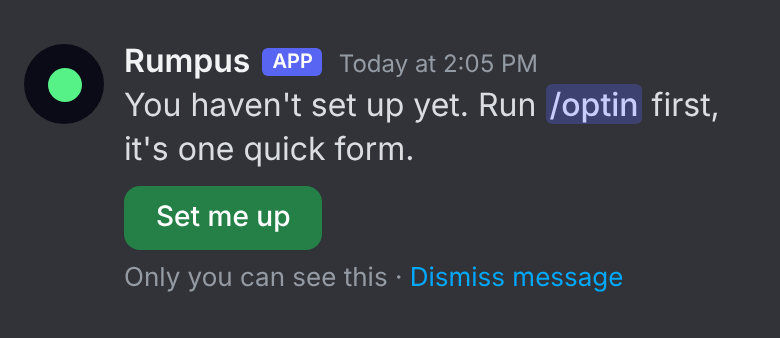
Run /plan new with a name and a time, like Movie night, sat 8pm. A card lands in the channel with In, Maybe and Out buttons. It stays penciled in until you lock it, and everyone who's In or Maybe gets a reminder before it starts.

None of your activity is recorded until you run /optin. /forget-me wipes everything about you (a backup copy can sit around for up to 14 days). The whole deal is on the privacy page.
That's enough to get going. Everything else is one menu away on /rumpus.
/rumpusYour home. One private screen with a button for everything, so there's nothing to memorize.
/plan newMake a plan with In, Maybe and Out buttons. Repeat it weekly in a server, set reminders, or add a minimum so it calls itself off.
/plan whenAsk the server which evenings next week work. Private votes, counts only.
/downTell your circle you're down to hang. It lasts 2 hours unless you say different, like /down 11pm.
/whosdownWho's down, and who's in a call you could hop into.
Not every night needs a plan. Four things, and none of them need a group chat.
One button on your server's panel, or type /down. It lasts two hours unless you say different, like /down 11pm. It works when you're invisible, because you chose to post it.
Friends who have you in their circle can set an alert on you, if you said yes to that in setup. When you check in, they get a DM with buttons: snooze, I'm down too, and a way to join your call if they could hop in. They also get one when you hop in a call they could join, or start a game (only for what you share), and you count toward their squad alerts. One DM an hour at most, and nothing during their quiet hours. /privacy shows you who has one on you.
Tap your usual free times once in /settings usual. /besttime shows the top three windows for the group, like Thu 8-11 PM. It never says who's free. Then /plan new turns the best one into a plan. Spot a plan in the chat? Right-click that message (or long-press on your phone), pick Apps, then "Plan this". The form opens with the message as the title, and the time filled in if it says one.
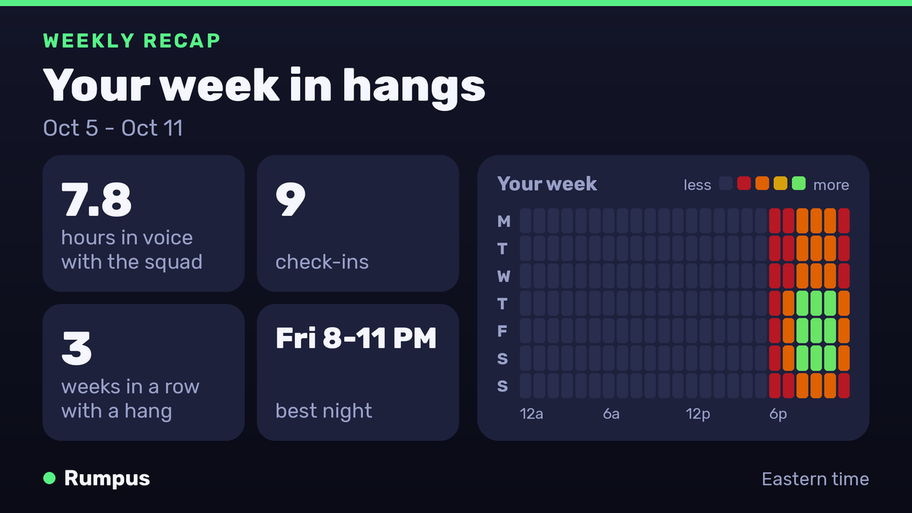
If you say yes to recap DMs, you get a card with your week every Monday: hours in voice, check-ins, your weeks in a row with a hang, your best time. The 1st of the month brings a bigger one. Post it if you want to. Your call.
Rumpus has a raccoon buddy. He's yours. Nobody else sees him unless you share a photo of his room or bring him into the Lounge.
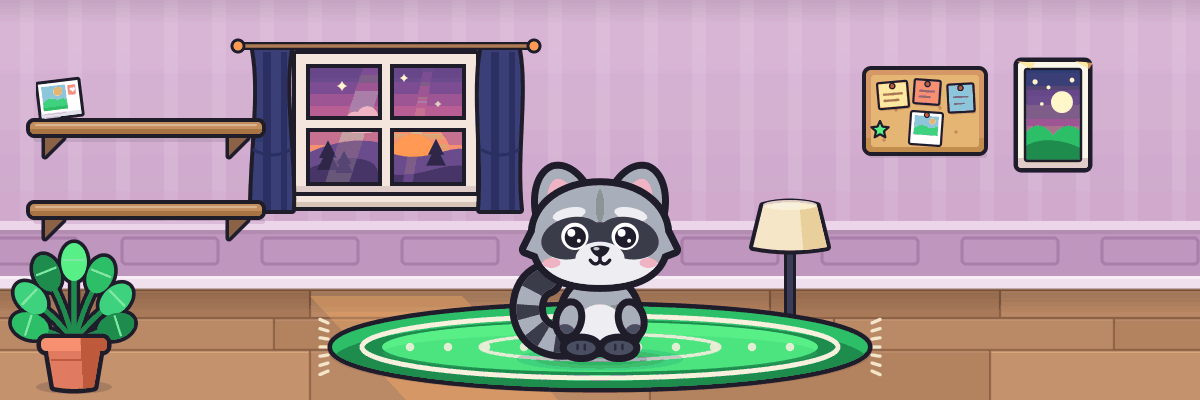
/rumpus home.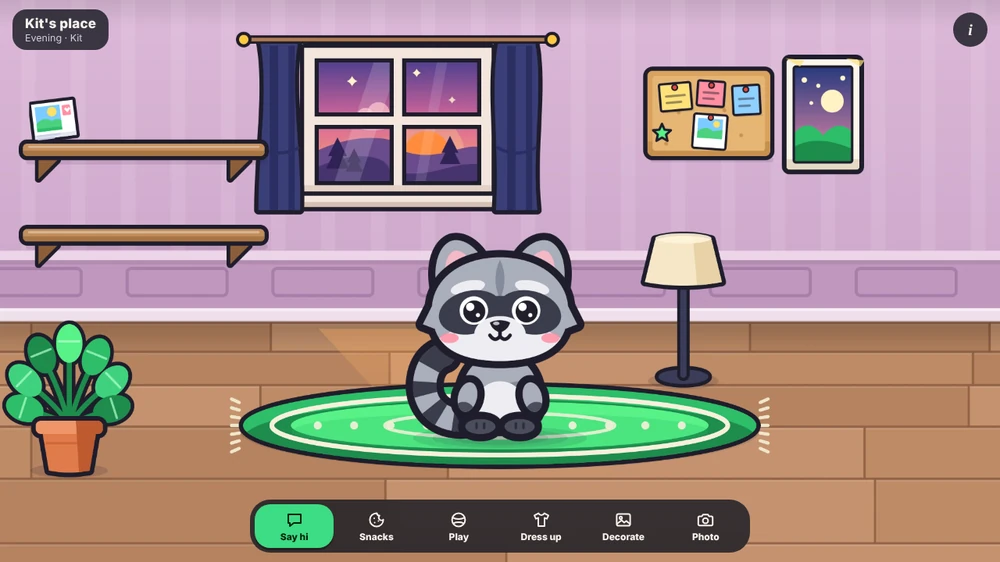
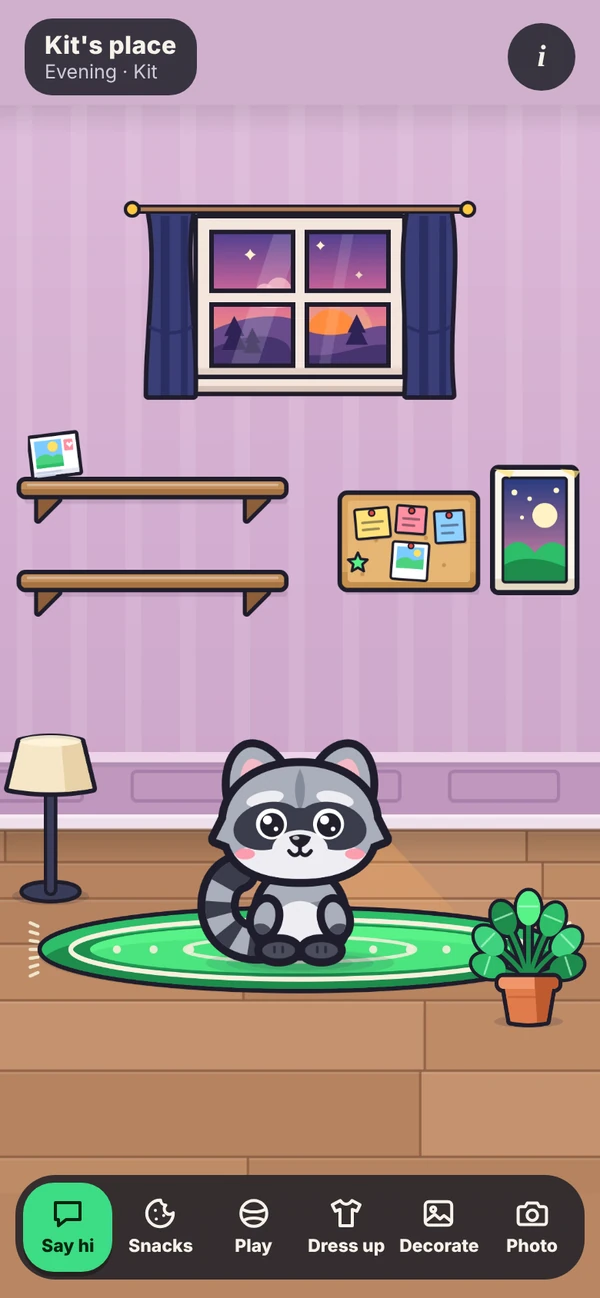
Kit grows when you say hi once a day, or go to a plan someone else said In to. Either one counts as a day together.
Miss a few days and he naps. Say hi and he wakes up right where you left him. He doesn't shrink or leave, and he won't guilt-trip you.
Tapping I'm down doesn't count for him, so nobody has a reason to fake it. He grows through four stages, and what he turns into is a surprise.
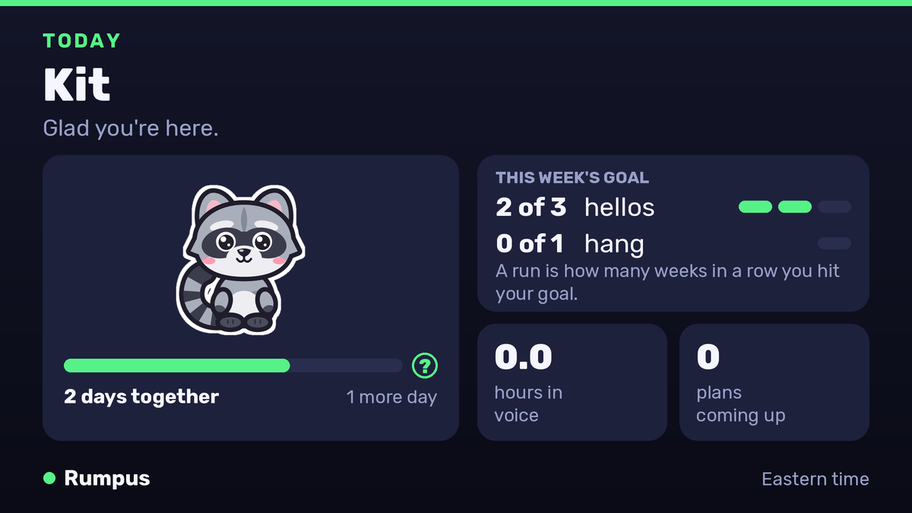
Three hellos and one hang a week, Monday to Sunday. A hang is a plan you went to with at least one other person In. Pick two or three hangs for a bigger goal. Hit it eight weeks in a row and you bank a free week for when life gets in the way. Break a run and your personal best stays on your card. A daily DM is there if you want one. It's off until you turn it on, you pick the hour, it never goes out from midnight to 6 AM, and Stop these ends it.
Type /rumpus. You get a private home screen with buttons for what you do most, and tapping one changes the same message. Your circle's right on the home: see who's in it, add people, take people out. Everything else is one menu away, and every command still works if you'd rather type. You can also right-click a friend (or long-press on your phone), pick Apps, then "Ping me when they're down".
Your cards come in a few looks. Switch any time in /settings open. They're all free right now.
One extra, and it's opt-in. It shows nothing about you to anyone else until you say yes.
Wrapped opens December 15 and stays open until January 10. It's your year in hangs: hours in voice with the squad, check-ins, your weeks with a hang, your biggest day or night, and a hangout type like Night Owl or Weekend Warrior. Say yes to recap DMs and it lands in your DMs once. /wrapped shows it again any time until it closes. Post it and any time your friends spent invisible stays out, and yours too unless you turned on “Visible to my circle while invisible.”
Same app, same account. Pick the one that fits, or do both.
The full thing. It can see who's in voice or playing (only for people who opted in), send alerts, post the panel, make repeating plans and minimums, run /plan when, and post squad recaps. This is the one to get your friend group going. The add link asks only for what it needs to post cards and make Discord events. No Administrator, nothing that lets it kick, ban or delete messages.
Puts /rumpus, /down, /free, your raccoon, your stats and your cards in any server, DM or group chat you're in. It can't see voice or games, so alerts, repeating plans, minimums and /plan when need the server version too.
Rumpus only knows what you opt into, and it only tells the people you pick. Here's the whole deal.
Run /optin. It's one form: tick that you're 13 or older, then pick your time zone, your circle and what to share. Voice, online status and message times are three separate switches. They all start off.
The setup form has three tick boxes, and none starts ticked: a recap by DM every Monday and on the 1st, whether people in your circle can set alerts on you, and whether people in your circle can send you plans and free-time cards by DM. Leave one unticked and it stays off. That means no recap DM, nobody can set an alert on you, and no plan invite or free-time card is DMed to you, whoever asks. The daily buddy DM is its own yes, off until you turn it on. Change any of them any time in /settings open.
Rumpus doesn't use Discord's Message Content permission, so it doesn't get what anyone writes in chat. If you turn on message times, it logs that you posted and when. Never what you said. The one time it uses a message's words is when you right-click one (or long-press on your phone) and pick Plan this: Discord hands over that one message, Rumpus uses it to fill in the plan form, and it doesn't save or log it unless you send the form. Then it's your plan's title. It does ask for the Presence and Server Members permissions, so it can see who's online and in voice for the people who opted in. A friend who hasn't opted in doesn't show up at all.
If you share online status, Rumpus also notes the name of the game you're playing, when you start and stop. Setup tells you before you switch it on. Turn online status off and it stops.
Your circle is everyone who's set up on your server, or only the people you add. Your check-ins and patterns go to your circle and nobody else. Nobody can set an alert on you unless they're in your circle and you said yes. /privacy shows who can see you and who has an alert on you.
Go invisible and you stay hidden and don't set off alerts. One switch changes that. It's off until you flip it, and it lets only your circle see you as around while you're in voice, posting or playing on a linked Steam. Your invisible hours then count for them in best times and cards. They only count in a card you post yourself (not squad cards), never in anything someone else posts. Tapping I'm down always shows, because you chose to post it.
Your buddy, your hellos and your weekly goal are yours alone. Your circle can't see them and neither can a server admin, except in the Lounge, where the people in it with you see your buddy. The buddy keeps a yes or no for each day that counted, never who you were with. Your look and room picks aren't shown to anyone else unless you share a photo of Kit's room to Discord, or leave Show my look on in the Lounge.
A squad card, server recap or squad Wrapped posted in a channel shows head counts and totals, never names. It only counts people who turned on “Include me in posted squad cards” (off until they do), it needs at least three of them, it counts only what they did in that server, and it leaves out time anyone spent invisible.
/optout pauses it. /forget-me deletes everything about you, including alerts you set and alerts on you. /settings export sends you a copy of your data first if you want one.
Raw activity, check-ins, alert history and /free posts are kept 90 days, then deleted. Activity is rolled into hourly totals first, and those are kept 13 months. Your buddy and weekly goal stay until you run /forget-me. The days that counted for your buddy are kept 13 months. A nightly backup copy is kept for 14 days, so something you delete with /forget-me can sit in a backup for up to 14 days before it's gone. If Rumpus is removed from a server, that server's data is deleted too.
The log files Rumpus keeps for fixing bugs hold no usernames, IDs, server names or channel names. They stop at about 4 MB, and the oldest lines get overwritten.
Linking Steam is optional. It stores your Steam ID, plus your Steam status and game names the way online status works: only if Online status is on. Steam only feeds who's around and alerts, never your cards or Wrapped. You prove the account is yours with a short code in your Steam profile name, so Rumpus never sees a password. /steam unlink ends it.
We don't sell data. We don't use it for ads. 13 and up only.